



What a paid Instagram and Facebook subscription offers businesses – and is it worth paying for
Working with Facebook and Instagram is changing – Meta is introducing paid subscriptions with additional tools for business, content, and […]


Indexing directly affects a website’s visibility in Google and, consequently, its SEO traffic, leads, and sales. If pages are not included in the index or suddenly disappear from search results, a website can lose a significant share of its organic traffic in just a few days. Website owners often notice that new articles are not ranking and traffic drops sharply, which leads to the question: Why can’t Google find my website? Let’s examine the main causes of indexing issues and the ways to fix them.
Indexing problems are often noticeable even before conducting a detailed SEO audit. The main warning signs to watch for include:
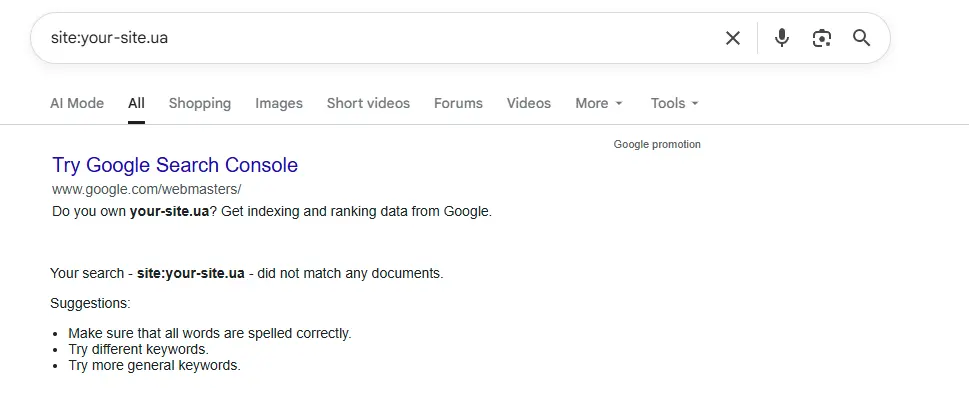
Google Search Console helps identify the issue. Reports may show errors such as “Crawled – currently not indexed”, “Excluded by ‘noindex’ tag”, or a sharp decrease in the number of indexed URLs.
If a website suddenly stops receiving organic traffic or certain pages disappear from search results, the cause is often related to technical issues or incorrect SEO settings. Below are the most common factors that lead to website indexing problems.
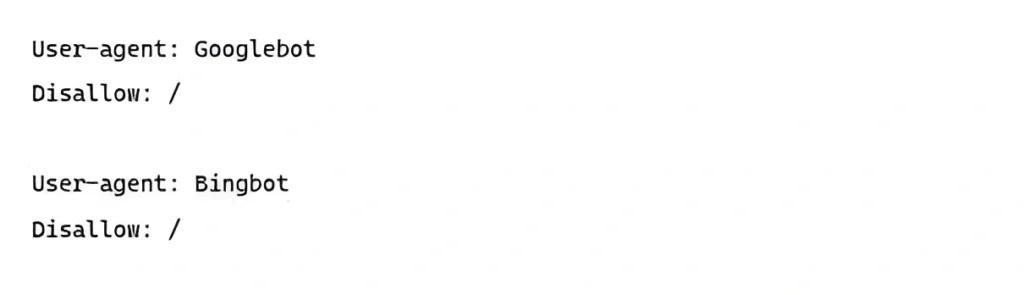
The robots.txt file controls search engine crawlers’ access to a website’s pages. If a Disallow directive is added incorrectly, Google may be unable to crawl important sections or even the entire site. This issue often occurs after development or a redesign, when test restrictions are accidentally left in place after launch. As a result, the website may not appear in search results even though the pages are technically functional and accessible to users.
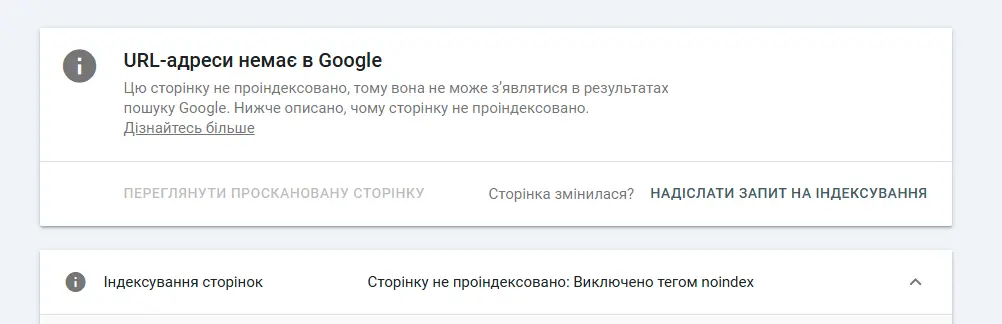
The robots meta tag with the noindex directive explicitly instructs Google not to add a page to its index. Even if the page is accessible and has internal links, it will not appear in search results. The noindex tag is often left in place accidentally after testing a new website, filters, or administrative pages. As a result, website owners may struggle for a long time to understand why their pages are missing from Google Search results.
The sitemap.xml file helps Google find and verify website pages more efficiently. If the file contains broken URLs, outdated addresses, pages with redirects, or 404 errors, search engine crawlers waste part of the crawl budget on irrelevant or inaccessible URLs. This does not directly block the entire site from being indexed, but it can significantly slow down the discovery and crawling of new, high-quality pages. Another common indexing issue is the absence of important URLs in the sitemap, which can cause Google to take longer to discover them.
When a website contains multiple versions of the same page, Google may treat this as duplicate content. To address this issue, the canonical tag is used to indicate the preferred version of a URL. If the canonical tag is configured incorrectly, search engines may exclude the intended page from the index. As a result, a page may disappear from Google’s index even though it still physically exists on the website.

Internal links help Google discover new pages and understand their importance within a website’s structure. If pages lack internal links, they become so-called orphan pages. These may include old blog posts, hidden products, or pages left behind after changes to the site structure. As a result, such URLs may not be properly discovered or ranked in Google for relevant search queries.
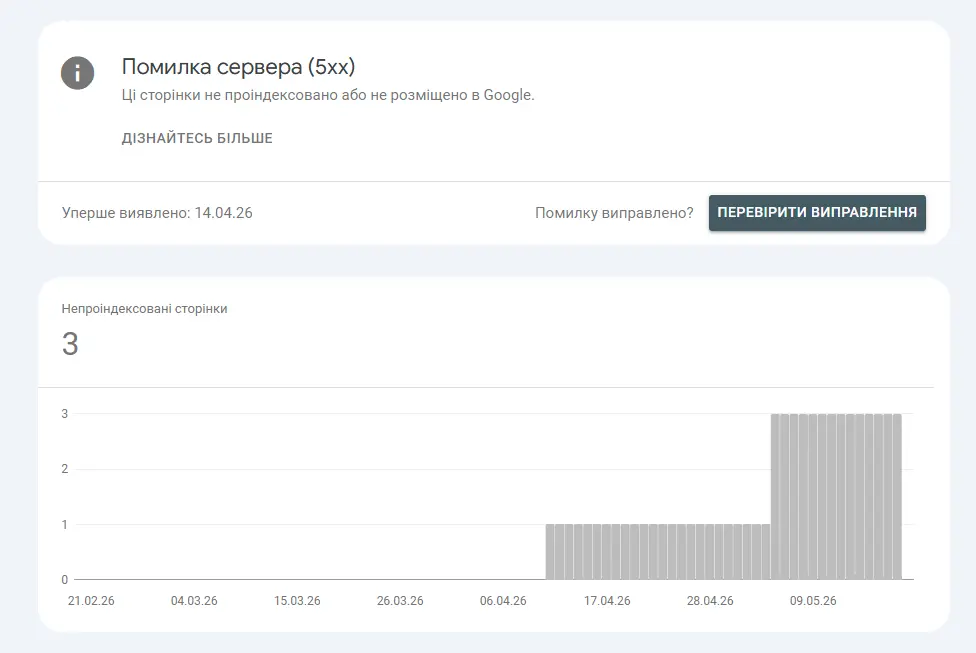
Server issues or slow website performance can negatively impact indexing. If Googlebot regularly encounters 5xx responses, timeout, or a 504 error, it reduces the frequency of crawling pages. Unstable hosting and slow loading times also affect the site’s crawl budget – the resources Google allocates for scanning a website. As a result, new pages may be indexed very slowly or may even disappear from search results entirely.
Google is increasingly focused on evaluating how useful content is for users. Pages with thin content, i.e. low-value, uninformative text, template-based descriptions, or mass-generated AI content without unique value – may not be indexed. This is especially common for automatically generated categories, filters, and SEO landing pages. This can also explain why a website does not appear in search results for certain queries.
Manual actions from Google, malware infections, hidden spam, or website hacking can cause a site to disappear from search results partially or entirely. In some cases, Google may temporarily hide a website to protect users from harmful content. Signs of such issues usually appear in Google Search Console as security warnings or manual action notifications.


| Cause of the problem | Symptom | How to check | How to fix |
| Blocking in robots.txt | Part or all of the website is not being crawled by Google | Check the robots.txt file and Google Search Console | Allow access to the required URLs |
| noindex tag | The page exists but does not appear in search results | Check the meta robots tag in the page code; use GSC → URL Inspection → Indexing allowed? | Remove the noindex directive or adjust the settings |
| Errors in sitemap.xml | Slow or incomplete indexing of new and important pages | GSC → Sitemaps; validate the XML | Update the sitemap and remove broken URLs |
| Incorrect canonical tag | The page does not rank or is indexed as a duplicate of another URL | Check the rel=”canonical” tag; GSC → URL Inspection → Google-selected canonical | Set the correct canonical URL |
| Missing internal links | Pages are not being discovered or are indexed with delays (orphan pages) | Perform a crawl audit (Screaming Frog, Ahrefs); review the internal linking structure | Add internal links to the relevant pages |
| Slow website or server errors (5xx) | Googlebot crawls the site less frequently, and pages may temporarily drop out of the index | GSC → Crawl Stats; PageSpeed Insights / GTmetrix; server log files | Optimize server performance and improve site speed |
| Low-quality content | Pages are indexed but do not receive traffic or rank well | GSC → Performance; analyze competitors and content depth | Rewrite, add more value |
| Manual actions or website hacking | A sudden drop in traffic or complete removal of pages from the index | GSC → Manual actions; GSC → Security issues | Fix the violations |
To understand how to restore a website in Google, it is important to identify the issue and systematically fix both the symptoms and their root causes. The best approach is to start with a technical review and basic optimization.
Action plan:
After fixing issues, results will not appear immediately. Google may re-evaluate pages within a few days to several weeks, depending on the site’s authority and the scale of changes.
To avoid situations where a website does not appear in search engines, it is important to regularly monitor the technical health of the site and the quality of its structure:
Indexing issues can quietly reduce SEO traffic, website visibility, and the number of leads coming from search. If technical errors are not identified in time, some pages may lose rankings or disappear from Google entirely. That is why regular SEO audits, indexing monitoring, and technical optimization help detect and fix problems early, before a significant drop in traffic occurs.
Why Google does not see a website is a common question among business owners, and it usually indicates crawling or indexing issues. In such cases, it is important to consult specialists who understand how to get a website indexed in Google and resolve technical errors. To order SEO promotion for steady organic traffic growth, contact the specialists at the digital agency Lanet CLICK, who will help conduct an audit, set up promotion for a new website, and protect it from indexing issues already at the launch stage.


Working with Facebook and Instagram is changing – Meta is introducing paid subscriptions with additional tools for business, content, and […]

Meta’s advertising system divides all content into three key groups: products and services that are completely prohibited from being advertised, […]

Two targeted advertising packages may cost the same but offer businesses completely different opportunities. One package may provide enough creatives […]
A good strategy, perfectly selected digital tools, and their effective application will allow the business to increase profits, grow the customer base, and form recognition and loyalty. Do you want something like that? Contact us.