


AI Max in Google Ads: what it is, how it works, and how to improve campaign performance
What if an advertising campaign could find new customers on its own, create more relevant ads, and optimize its performance? […]



On August 17, 2026, Google updated the bidding logic for campaigns that operate based on target metrics. The goal of the Google Ads update is to make advertising campaign results more predictable, even when an advertiser changes the budget. It can have a real impact on the cost per conversion in many accounts. Specialists from the Lanet CLICK digital agency will help you understand exactly what has changed and whether anything needs to be adjusted right now.
Smart Bidding is a set of bidding strategies that use machine learning and artificial intelligence to determine the optimal bid for each Google Ads auction. This approach is also known as intelligent bidding, as the bid amount is determined by an algorithm rather than manually by a person. The main Smart Bidding strategies include:
According to Google, the main change concerns how the algorithm behaves in campaigns with the Limited by budget status. Previously, such campaigns could primarily find the cheapest auctions and consistently deliver results better than the Target CPA or Target ROAS set by the advertiser. Now, Google aims for ad performance to be closer to the advertiser’s specified target. These changes to target based bid strategies are intended to make the algorithm’s behavior more predictable when adjusting the budget.
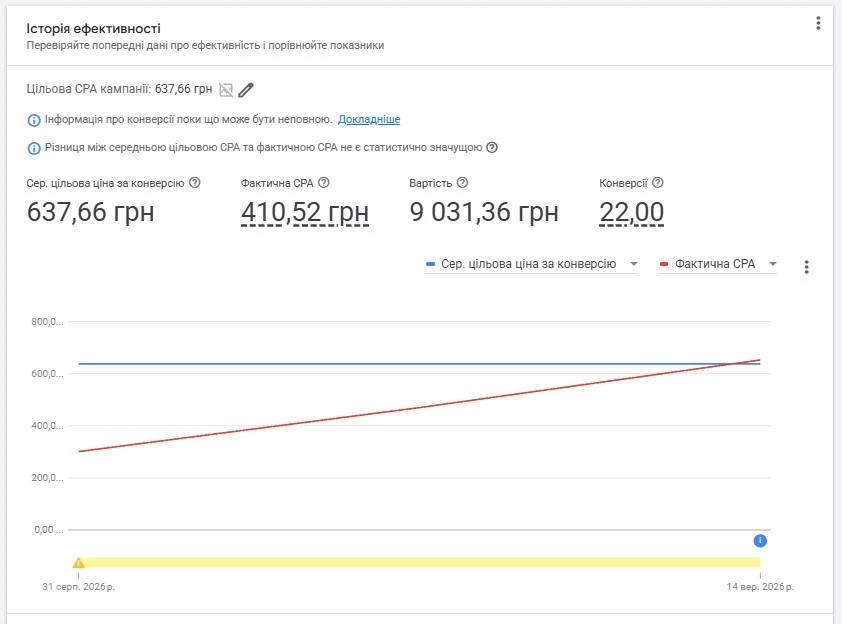
Previously, a campaign with a limited budget could perform better than the target – the Target CPA was set at UAH 500, while the actual cost per conversion remained at UAH 300. The algorithm selected the most cost-effective auctions, ignoring more efficient impressions. This resulted in cheaper conversions, but the campaign failed to capture the volume of traffic and leads it could have obtained with the same budget, which ultimately reduced the overall return on advertising spend. Without proper management of contextual advertising, it was difficult to assess how closely the actual results matched expectations.
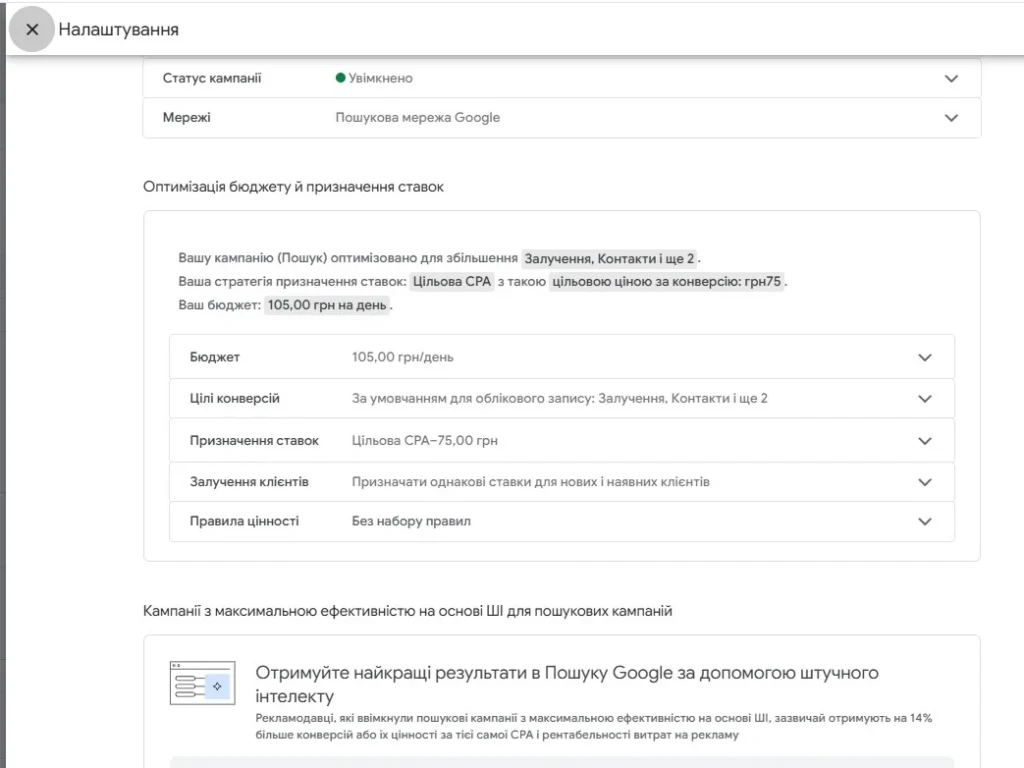
Now, the Google Ads bidding algorithm in campaigns with limited budgets and target-based strategies is optimized to stay closer to the set target. The same campaign with a Target CPA of UAH 500 may gradually move toward UAH 500, rather than remaining at UAH 300. The change in behavior also occurs when the budget is adjusted: increasing the budget may pull the cost per conversion closer to the target than before. It is important to interpret this change in Google Ads bidding logic correctly: the platform does not forcibly increase CPA or decrease ROAS; the algorithm simply aims for the advertiser’s target more consistently.
These Google Ads changes do not apply to all accounts simultaneously. The update applies to campaigns that have the Limited by budget status and automated bidding enabled. The campaign types most affected include:
Campaigns without target-based goals, as well as those without budget constraints, continue to operate under the previous model.

No, there is no need to change the target automatically. You should review the target metric only when the actual cost per conversion differs significantly from what is desirable for the business. For example, if the Target CPA is UAH 500, but the campaign has been generating conversions at UAH 300 for an extended period, and it is important for the business to maintain that cost, the target should be lowered. If UAH 500 is genuinely acceptable for the business, there is no need to change the target just because of the update. A professional advertising audit can help assess how well the targets align with the campaign’s capabilities.
To prevent an increase in lead costs and budget waste, it is worth conducting a quick checkup:
1. Check which campaigns have the Limited by budget status.

2. Compare the historical performance of the campaigns with the actual Target CPA or Target ROAS settings.
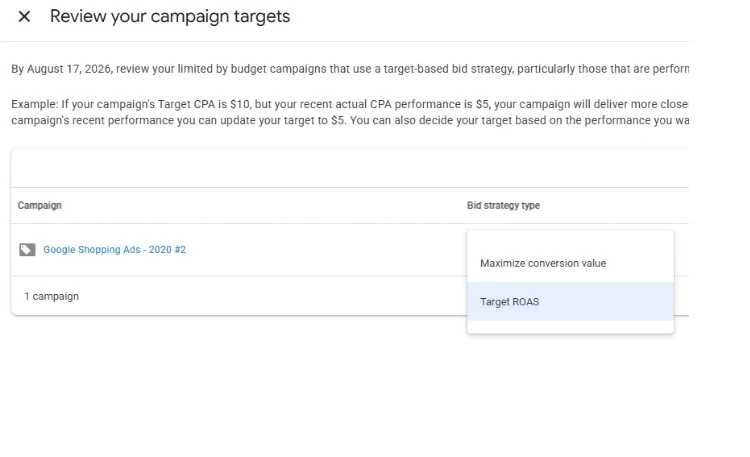
3. Use the Bid Target Adjustment Tool in Google Ads to adjust the targets.
4. Record the current lead quality metrics to track changes over time.
It is better to act proactively rather than wait for the cost per conversion to start increasing on its own and quietly consume the budget. If it is difficult to understand the new logic on your own, a contextual advertising setup service from specialists can help quickly adapt campaigns to the updated algorithm.
The Smart Bidding changes affect only how closely Google Ads follows the goals set by the advertiser, not the auction system itself. For some accounts, this means more stable and predictable advertising returns, while for others, it may mean a need to review targets that have not been updated for a long time. Do not ignore these changes – check your campaigns in the near future, especially if the targets have not been reviewed for a long time. If you need professional assistance, contact Lanet CLICK to improve the performance of contextual advertising.


What if an advertising campaign could find new customers on its own, create more relevant ads, and optimize its performance? […]

Clicked a link but saw a 404 Not Found message instead of the page you expected? This is one of […]

Every day, businesses spend thousands of hryvnias on advertising, but a significant share of campaigns fails to deliver the expected […]
A good strategy, perfectly selected digital tools, and their effective application will allow the business to increase profits, grow the customer base, and form recognition and loyalty. Do you want something like that? Contact us.
You have taken the first step towards effective online marketing. Our managers will contact you and consult you soon.